
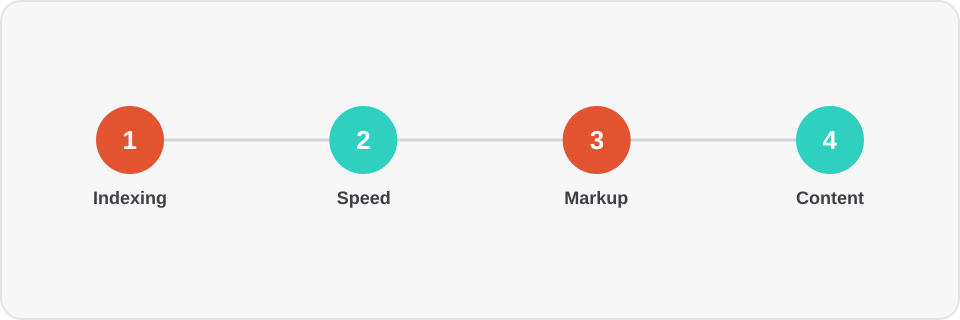
Most SEO audits I see from new clients are a 40-page report from an automated tool, where half the items don't affect rankings at all, and the genuinely critical issues get lost among a hundred low-priority warnings. Below is the order in which a site should actually be checked, from the most critical down to secondary.
1. Indexing: can search engines even see the site
Before optimizing anything, make sure pages are actually eligible for indexing:
robots.txtisn't accidentally blocking important sections (a common problem after migrating to a new platform);sitemap.xmllists real, current URLs — not stale addresses ornoindexpages;- canonical links (
rel="canonical") point to themselves on primary pages, instead of creating accidental redirect chains; - Yandex Webmaster and Google Search Console show no mass crawl errors over the past 3 months.
One site I audited lost 70% of its organic traffic after a redesign — it turned out the staging environment's robots.txt had accidentally shipped to production and blocked everything via Disallow: /. That takes five minutes to check, and it's exactly where every audit should start.
2. Load speed and Core Web Vitals
Speed isn't an abstract checkbox metric — it's a direct ranking and conversion factor. Check mobile and desktop separately using PageSpeed Insights and real field data (CrUX), not just lab measurements — they often diverge. I covered the specific metrics and how to improve them in a dedicated article on Core Web Vitals.
3. Structured data
Schema.org markup is how a search engine understands the meaning of content, not just the text. The minimum set for most sites:
OrganizationorLocalBusiness— on every page, with consistent contact details;BreadcrumbList— for navigation trails, especially on e-commerce sites;Product/Article/FAQPage— wherever appropriate for the content type.
4. Architecture and internal linking
Page-nesting depth directly affects how often a search bot crawls them. If a key page is four clicks deep from the homepage, it's structurally less likely to be crawled regularly. A flat, logical section structure and internal links between related pages (blog posts linking to each other by topic, for example) distribute link equity across the site more effectively than any external links.
5. Content and duplication
The last step is content: unique titles and meta descriptions, no duplicate pages (a common problem with URL parameters like ?sort= or ?utm_source=, which search engines can index as separate pages), and a logical H1–H3 heading hierarchy.
Bottom line
A technical audit isn't a one-time event — it's a baseline checklist worth running after every significant release. If you'd like an audit of your site with concrete priorities and effort estimates for fixing issues — tell us about your project.